
02
AI automates testing,
and work knowledge becomes an asset
Automatic Recording — Give it a task description and data, and it operates the SAP screen while recording
Manual Generation — Creates procedure documents from the recorded asset and stores them as knowledge
Result Analysis — Summarizes execution results and suggests candidate causes of failure
AI Helper — Answers based on the user manual and shows its sources
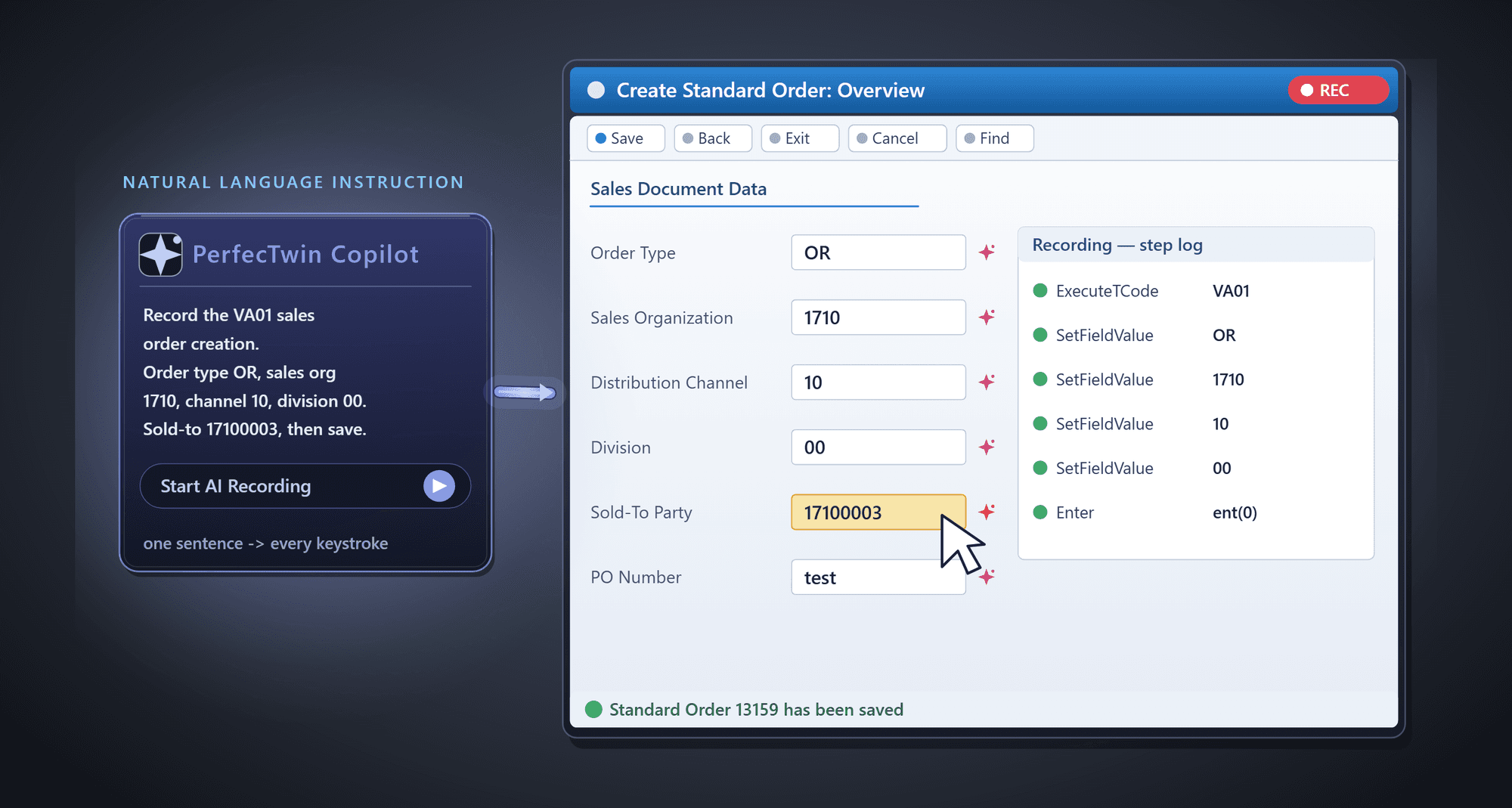
AI Automatic Recording — Carries out a one-sentence instruction all the way down to the key input on the SAP screen

Manual Generation — Adds AI commentary to the procedure document and builds it into a searchable knowledge base
03
Verifies even the integration points
beyond SAP in a single scenario
Runs SAP screen operations and external system calls (HTTP, RFC) together in one continuous scenario
Checks data consistency between systems at every segment
Groups integration segments by business unit and checks results by that unit
Catches integration errors that a SAP-only test can’t reveal
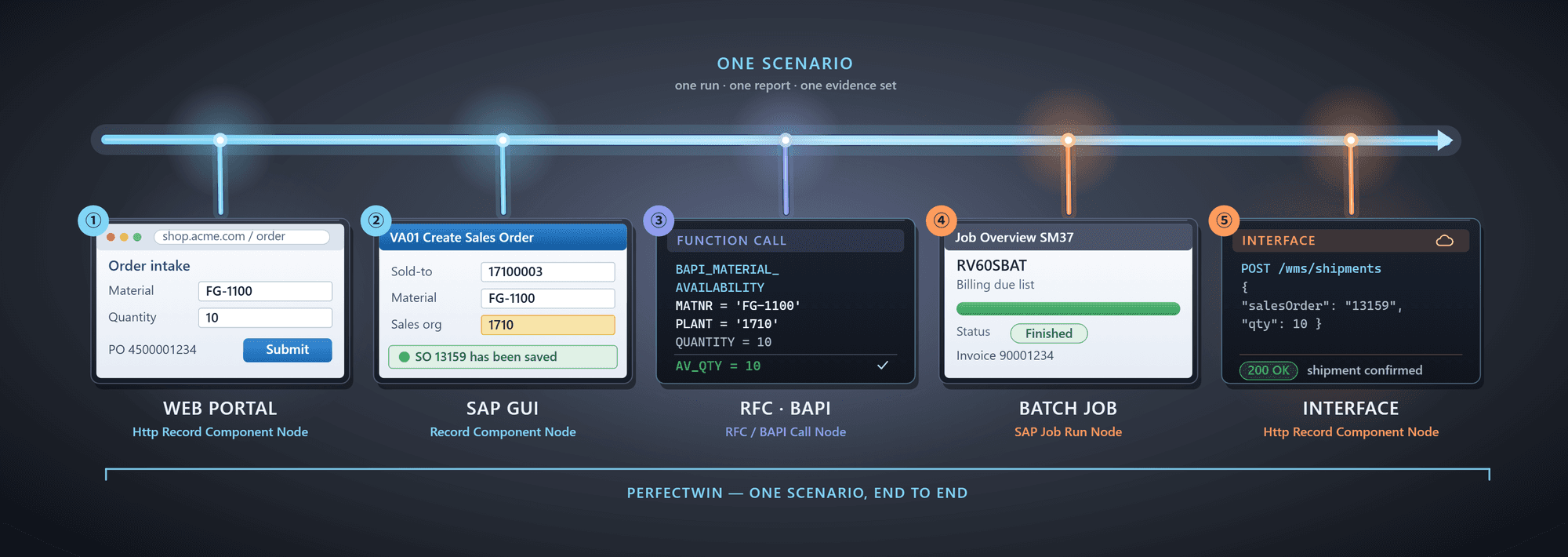
One Scenario, Five Segments — Runs the web portal, SAP GUI, RFC, BAPI, batch job, and interface in sequence
04
Secures large volumes of real production data
and uses it directly in testing
ScreenReader — Reads the values shown on the SAP screen directly and turns them into test data
SQL Extraction — Pulls production data straight out of key modules like SD, MM, FI, and PP with SQL statements
Permissions As-Is — Brings in only the data within the range allowed to the user, with no masking or workaround
Flexible Output — Exports to Excel, a SAP-native file, or a DB table and uses it directly as scenario input
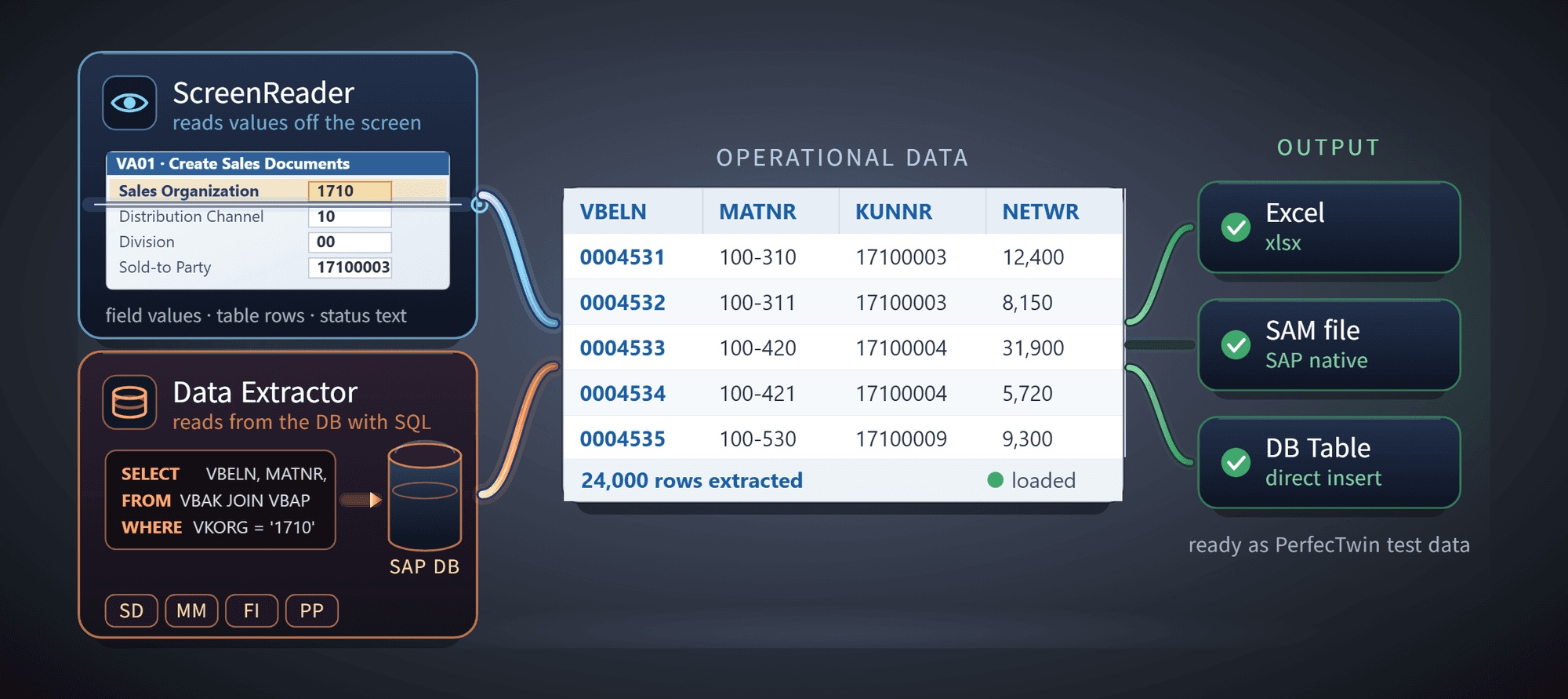
Test Data Stream — Extracts production data and exports it in a form ready to use for verification right away
PerfecTwin ERP Overview
Scenario Recording
Test Design
Resources
Learn More With Demo Videos
Powered by
© 2026 LG CNS. All rights reserved.
Follow